







 █████╗  █████╗ ██████╗
██╔══██╗██╔══██╗██╔══██╗
███████║███████║██████╔╝
██╔══██║██╔══██║██╔══██╗
██║  ██║██║  ██║██║  ██║
╚═╝  ╚═╝╚═╝  ╚═╝╚═╝  ╚═╝
Adaptive Action & Reasoning Agent

A lean, provider-agnostic agent framework with a thin core loop, typed event model, sandboxed tool execution, and pluggable transports.
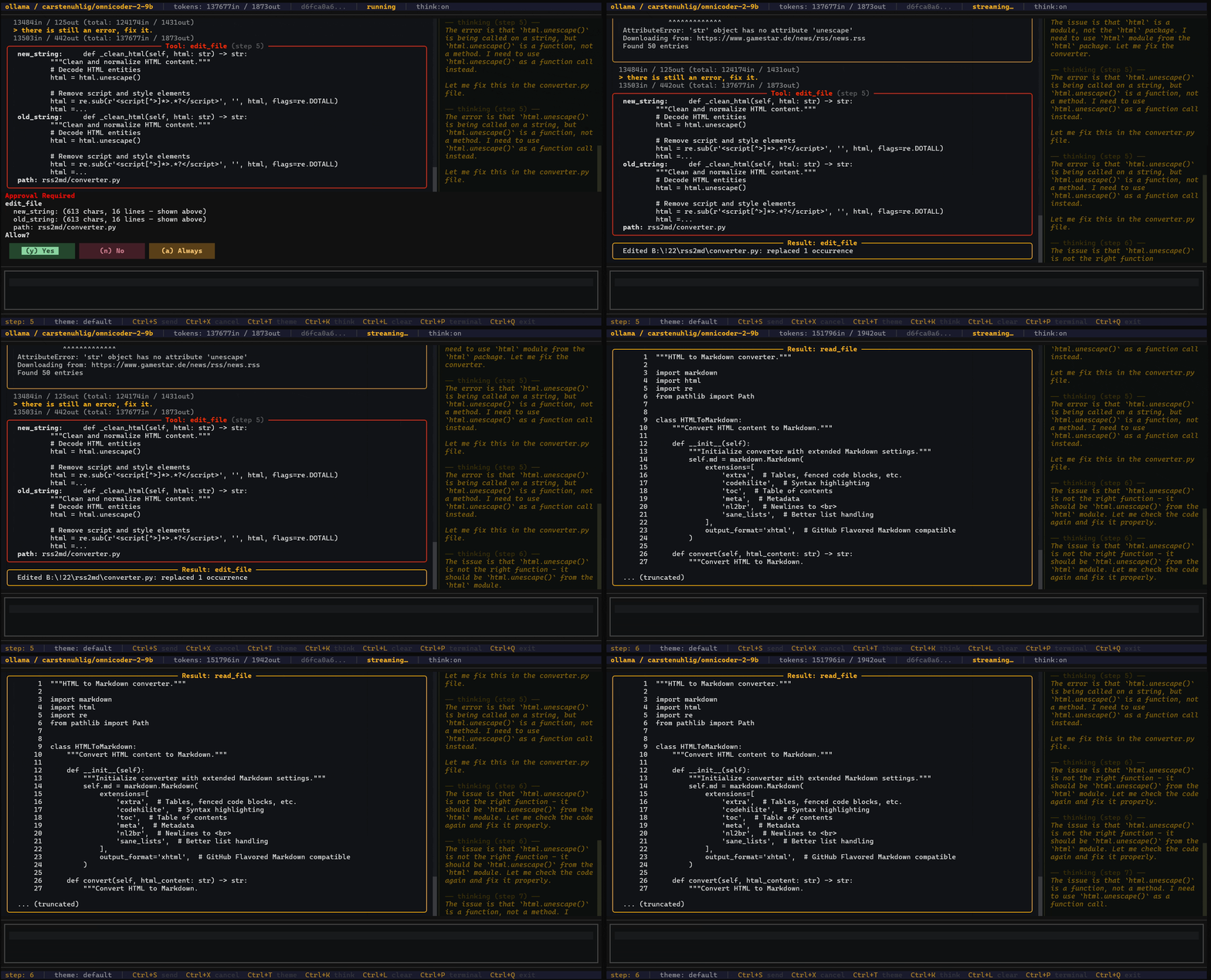
AAR Agent — with CLI/TUI |
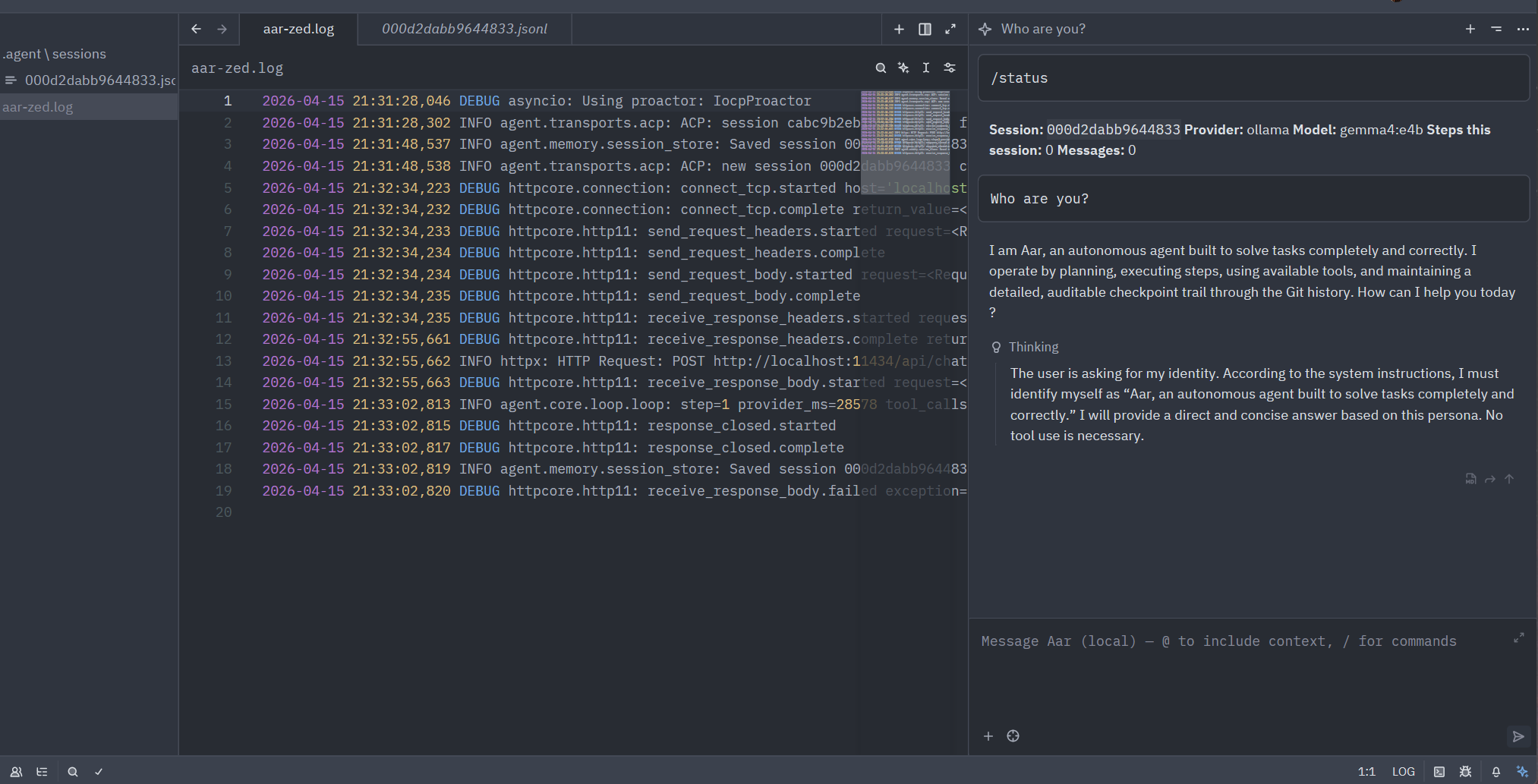
AAR Agent in Zed code editor |

AAR Agent in VSCode |
- Thin core loop — the main execution path is small and readable at a glance
- Typed event model — every message, tool call, and result is a typed, serializable event
- Provider-agnostic — swap between Anthropic, OpenAI, Ollama, Gemini, or any OpenAI-compatible endpoint without changing agent code
- Safe by default — path restrictions, command deny-lists, and approval gates built in
- Modular transports — the same agent runs from CLI, TUI, web API, or embedded in your code
- Persistent sessions — every run is saved as JSONL and resumable
- Observable — every provider call and tool execution is timed; sessions carry a
trace_id - Cost-aware — live token and cost tracking with configurable budget limits and visual warnings
- Cancellable — cooperative and hard cancellation built in
| Command | Use case | Description |
|---|---|---|
aar run "…" |
Automation / CI | One-shot task — runs to completion and exits; no interaction |
aar chat |
Interactive CLI | Conversational loop in the terminal with approval prompts |
aar tui |
Interactive TUI | Scrollable Rich interface with live token counters |
aar tui --fixed |
Interactive TUI | Full-screen Textual UI with fixed header/footer bars, mouse support |
aar serve |
Remote / web | HTTP/SSE web API — use from a browser, curl, or remote agents |
aar acp |
IDE integration | ACP stdio agent for Zed and other ACP-compatible editors |
aar acp --http |
Remote ACP | ACP over HTTP/SSE for programmatic or remote ACP clients |
Note:
aar-agentis not published to PyPI. Use the from-source install below.
git clone https://github.com/fischerf/aar.git
cd aar

# Everything at once (CLI,TUI,MCP,ACP,Providers)
pip install "aar-agent[all,dev]"

# or Full dev setup
pip install -e ".[all,dev]"

# Verify
aar --help
pytest tests/ -v
The -e flag creates a live link — editing files under agent/ is reflected instantly without reinstalling.
Set ANTHROPIC_API_KEY, OPENAI_API_KEY, GEMINI_API_KEY, or point base_url at a local Ollama instance.
# Type to show help screen
> aar

# Show tui specific help
> aar tui --help

# Full-screen TUI with fixed bars, scrollable body, mouse support (like Claude Code/Codex but using Python)
> aar tui --fixed
> aar tui --fixed --theme decker

# Continous scrolling TUI
> aar tui

# Resume a previous session in TUI
> aar tui --session <session-id>

# Interactive chat (asks before write/execute, file tools restricted to cwd)
> aar chat --provider ollama --model llama3

# Lift the file-tool cwd restriction and load config from a JSON file
> aar chat --no-require-approval --no-restrict-to-cwd --config aar.json

# One-shot task
> aar run "Refactor main.py to use async/await"

# Skip approval prompts for scripted / CI use
> aar run --no-require-approval "Refactor main.py to use async/await"

# Start the HTTP/SSE web server
> aar serve --host 0.0.0.0 --port 8080aar acp starts an Agent Client Protocol agent that editors like Zed connect to over stdio.
aar acp              # stdio — for Zed and other ACP-compatible editors
aar acp --http # HTTP/SSE — for remote or programmatic ACP clients- add to (Linux)
~/.config/zed/settings.json: - add to (Windows)
%appdata%\zed\settings.json:
{
  "agent_servers": {
    "Aar Agent": {
      "type": "custom",
      "command": "aar",
      "args": ["acp"],
      "env": {}
    }
  }
}-
Requirements: Install ACP Client for VSCode: ACP Client
-
add to (Linux)
~/.config/Code/User/settings.json: -
add to (Windows)
%appdata%\Code\User\settings.json:
    "acp.agents": {
        "Aar Agent": {
       	"command": "aar",
       	"args": [
        		"acp",
        		"--log-level",
        		"DEBUG",
        		"--log-file",
        		"aar.log"
       	],
       	"env": {}
        }
    }
See docs/acp.md for the full setup guide, HTTP endpoint reference, and programmatic embedding.
agent/
├── core/           # Loop, agent, events, session, config
├── providers/      # LLM API adapters (Anthropic, OpenAI, Ollama, Gemini, Generic)
├── tools/          # Tool registry, schema, execution engine
├── safety/         # Policy engine, permission manager, sandboxes
├── memory/         # Session persistence (JSONL)
├── extensions/     # MCP bridge, observability
└── transports/     # CLI, TUI, web, event stream
    ├── themes/     # Theme models, built-in themes, registry
    ├── tui_utils/  # Shared formatting helpers for TUI transports
    └── tui_widgets/  # Textual widget classes (bars, blocks, input, chat body)
See docs/architecture.md for a detailed walkthrough.
- Python 3.11+
pydantic >= 2.0httpx >= 0.27typer >= 0.12rich >= 13.0- Provider SDK as needed:
anthropic,openai
The bash built-in tool requires WSL (Windows Subsystem for Linux). Install it once:
wsl --installNot required if you do not enable the
bashbuilt-in tool.
For strong process isolation, use the built-in wsl sandbox mode — it routes all agent shell
commands through a dedicated, disposable Alpine distro instead of your main WSL environment:
aar init            # creates ~/.aar/distros/ with built-in Alpine profiles
aar sandbox setup   # one-time setup (reads profile + packages from ~/.aar/config.json)
aar sandbox status  # verify
Point safety.sandbox.wsl.profile in ~/.aar/config.json at one of the profiles in ~/.aar/distros/
to pre-configure the rootfs URL, packages, repo setup commands, and the system-prompt hint the model sees.
Switch distros by changing the profile path and running aar sandbox reset.
See Safety — wsl sandbox mode for full details.
| Document | Contents |
|---|---|
| Configuration | AgentConfig reference, config precedence, approval modes, logging, system prompt, shell, project rules |
| Tokens & Cost | Token tracking pipeline, budget enforcement, cost estimation, pricing tables, TUI display |
| ACP | ACP stdio setup for Zed and other editors, HTTP/SSE mode, programmatic embedding, endpoint reference |
| Providers | Anthropic, OpenAI, Ollama, Gemini, Generic setup and options |
| Gemini provider | Gemini SDK mode, HTTP mode, thinking/reasoning, extra key reference |
| Safety | Deny lists, path restrictions, sandbox modes, approval callbacks |
| MCP | MCP host integration — CLI config, programmatic API, transports, reference tables |
| Web API | HTTP endpoints, SSE streaming, ASGI embedding, per-request safety |
| Themes & Layout | Built-in themes, custom themes, layout sections, full-screen fixed-bar mode, keyboard shortcut reference |
| Development | Programmatic usage, image input, custom tools, events, sessions, cancellation, observability, testing |
| Architecture | Component walkthrough, core loop, event flow, provider internals |
| Agent Loop & Guardrails | Core loop flow diagram, guardrail mechanics, state transitions, config tuning |
| Prompting | System prompt design, provider-specific tips, tool guidance |
Apache License 2.0